
GraphQL interview questions
GraphQL Fundamentals

1. What is GraphQL and how does it differ from REST?
GraphQL:
GraphQL is a query language for APIs and a runtime for executing those queries by using a type system you define for your data. It was developed by Facebook in 2012 and released publicly in 2015.
Differences from REST:
- Single Endpoint: In REST, you typically have multiple endpoints for different resources. In GraphQL, you have a single endpoint to query all the data.
- Fetching Data: In REST, over-fetching and under-fetching of data can occur because of fixed endpoints. GraphQL allows you to request exactly the data you need.
- Schema and Type System: GraphQL uses a strongly typed schema to define the structure of your API, enabling clients to know what data they can request and what data they will receive.
Example Code (GraphQL Query):
query {
user(id: "1") {
name
email
}
}
Example Code (REST Request):
fetch('https://api.example.com/users/1')
.then(response => response.json())
.then(data => {
console.log(data.name);
console.log(data.email);
});
2. Explain the main components of the GraphQL architecture.
Main Components:
- Schema: Defines the types and structure of the data that can be queried.
- Resolvers: Functions that resolve a value for a type or field in the schema.
- Queries: Read operations to fetch data.
- Mutations: Write operations to modify data.
- Types: Define the shape of the data (e.g.,
ObjectType,ScalarType).
Example Schema (Type Definition):
type User {
id: ID!
name: String!
email: String!
}
Example Resolver:
const resolvers = {
Query: {
user: (_, { id }) => {
return users.find(user => user.id === id);
},
},
};
3. Can you describe the structure of a GraphQL query?
A GraphQL query is structured to specify:
- The operation type (
queryormutation). - The fields to be retrieved or modified.
- Optional arguments to filter or modify the data.
Example Query:
query {
user(id: "1") {
name
email
}
}
Example Response:
{
"data": {
"user": {
"name": "John Doe",
"email": "john.doe@example.com"
}
}
}
4. What are the core features of GraphQL?
- Declarative Data Fetching: Clients can specify exactly what data they need.
- Single Endpoint: All interactions go through a single URL.
- Strongly Typed: Uses a schema to define types and relationships.
- Introspection: Clients can query the schema to understand available data.
- Real-time Data: Subscriptions allow clients to receive updates when data changes.
Example Subscription:
subscription {
newMessage {
id
content
author
}
}
5. What is a GraphQL schema and why is it important?
Schema:
A schema in GraphQL defines the structure and types of data that can be queried. It specifies what queries and mutations are available and what types of data they return.
Importance:
- Ensures consistency in data fetching.
- Provides clear documentation for API clients.
- Enables powerful developer tools like auto-completion and error checking.
Example Schema Definition:
type Query {
user(id: ID!): User
}
type User {
id: ID!
name: String!
email: String!
}
6. Explain the concept of fields in GraphQL.
Fields:
Fields are the basic units of a GraphQL query. Each field represents a piece of data that can be retrieved from the server.
Example Query with Fields:
query {
user(id: "1") {
name
email
}
}
Example Resolver for Fields:
const resolvers = {
Query: {
user: (_, { id }) => {
return users.find(user => user.id === id);
},
},
User: {
name: (user) => user.name,
email: (user) => user.email,
},
};
7. How does GraphQL handle data types?
Data Types:
GraphQL has several built-in scalar types such as Int, Float, String, Boolean, and ID. You can also define custom object types and enums.
Example Scalar and Object Types:
type User {
id: ID!
name: String!
email: String!
age: Int
}
enum Role {
ADMIN
USER
}
8. In GraphQL, what are queries and mutations?
Queries:
Queries are read-only operations used to fetch data.
Mutations:
Mutations are used to modify data on the server.
Example Query:
query {
user(id: "1") {
name
email
}
}
Example Mutation:
mutation {
createUser(name: "John Doe", email: "john.doe@example.com") {
id
name
email
}
}
Example Resolver for Mutation:
const resolvers = {
Mutation: {
createUser: (_, { name, email }) => {
const newUser = { id: generateId(), name, email };
users.push(newUser);
return newUser;
},
},
};
9. Describe how you would fetch data with a GraphQL query.
Fetching Data with GraphQL in React Native:
- Install
graphqlandapollo-clientlibraries. - Set up the Apollo Client.
- Write the query.
- Use the
useQueryhook to fetch data.
Example Code:
import { ApolloClient, InMemoryCache, gql, ApolloProvider, useQuery } from '@apollo/client';
import React from 'react';
import { View, Text } from 'react-native';
const client = new ApolloClient({
uri: 'https://api.example.com/graphql',
cache: new InMemoryCache()
});
const GET_USER = gql`
query GetUser($id: ID!) {
user(id: $id) {
name
email
}
}
`;
const UserComponent = ({ userId }) => {
const { loading, error, data } = useQuery(GET_USER, {
variables: { id: userId }
});
if (loading) return <Text>Loading...</Text>;
if (error) return <Text>Error: {error.message}</Text>;
return (
<View>
<Text>Name: {data.user.name}</Text>
<Text>Email: {data.user.email}</Text>
</View>
);
};
const App = () => (
<ApolloProvider client={client}>
<UserComponent userId="1" />
</ApolloProvider>
);
export default App;
10. What are scalar types in GraphQL?
Scalar Types:
Scalar types represent the leaf nodes of a query and cannot have sub-fields. GraphQL provides built-in scalar types: Int, Float, String, Boolean, and ID.
Example Scalar Type Usage:
type User {
id: ID!
name: String!
age: Int
isActive: Boolean
}
11. Explain the role of resolvers in GraphQL.
Resolvers:
Resolvers are functions that resolve the value for a type or field in the schema. They are used to fetch data from a database or other data source.
Example Resolver:
const resolvers = {
Query: {
user: (_, { id }) => {
return users.find(user => user.id === id);
},
},
User: {
name: (user) => user.name,
email: (user) => user.email,
},
};
12. What are the advantages of using GraphQL over other API query languages?
Advantages:
- Efficient Data Fetching: Clients can request exactly the data they need, reducing over-fetching and under-fetching.
- Strongly Typed: Ensures data consistency and validation.
- Single Endpoint: Simplifies API architecture.
- Introspection: Allows clients to query the schema for available data and types.
- Real-time Data: Supports subscriptions for real-time updates.
Example Subscription:
subscription {
newMessage {
id
content
author
}
}
These examples and explanations should provide a comprehensive understanding of GraphQL and its use in React Native
13. How do you pass arguments to fields in GraphQL queries?
Passing Arguments:
Arguments are passed to fields in GraphQL queries to filter or modify the data being fetched.
Example Query with Arguments:
query getUser($id: ID!) {
user(id: $id) {
name
email
}
}
Example Code in React Native:
import { ApolloClient, InMemoryCache, gql, ApolloProvider, useQuery } from '@apollo/client';
import React from 'react';
import { View, Text } from 'react-native';
const client = new ApolloClient({
uri: 'https://api.example.com/graphql',
cache: new InMemoryCache()
});
const GET_USER = gql`
query getUser($id: ID!) {
user(id: $id) {
name
email
}
}
`;
const UserComponent = ({ userId }) => {
const { loading, error, data } = useQuery(GET_USER, {
variables: { id: userId }
});
if (loading) return <Text>Loading...</Text>;
if (error) return <Text>Error: {error.message}</Text>;
return (
<View>
<Text>Name: {data.user.name}</Text>
<Text>Email: {data.user.email}</Text>
</View>
);
};
const App = () => (
<ApolloProvider client={client}>
<UserComponent userId="1" />
</ApolloProvider>
);
export default App;
14. What is a fragment in GraphQL and how are they used?
Fragments:
Fragments allow you to reuse parts of a query to avoid repetition. They can be defined once and used multiple times within queries.
Example Fragment:
fragment userFields on User {
name
email
}
query {
user(id: "1") {
...userFields
}
}
Example Code in React Native:
import { gql } from '@apollo/client';
const USER_FIELDS = gql`
fragment userFields on User {
name
email
}
`;
const GET_USER = gql`
query getUser($id: ID!) {
user(id: $id) {
...userFields
}
}
${USER_FIELDS}
`;
15. How does GraphQL handle caching?
Caching:
GraphQL can handle caching at the client level using libraries like Apollo Client. Apollo Client uses in-memory caching to store query results and manage data consistency.
Example Cache Configuration:
import { ApolloClient, InMemoryCache } from '@apollo/client';
const client = new ApolloClient({
uri: 'https://api.example.com/graphql',
cache: new InMemoryCache()
});
16. What are enums in GraphQL, and when would you use them?
Enums:
Enums are special scalar types that represent a set of constant values. They are used when you have a predefined list of possible values for a field.
Example Enum Definition:
enum Role {
ADMIN
USER
GUEST
}
type User {
id: ID!
name: String!
role: Role!
}
Example Usage in Query:
query {
user(id: "1") {
name
role
}
}
17. Describe the concept of “schema-first” development in GraphQL.
Schema-First Development:
Schema-first development involves defining the GraphQL schema before writing any resolvers or business logic. This approach ensures a clear contract between the client and server.
Example Schema Definition:
type Query {
user(id: ID!): User
}
type User {
id: ID!
name: String!
email: String!
}
Example Resolver:
const resolvers = {
Query: {
user: (_, { id }) => {
return users.find(user => user.id === id);
},
},
};
18. How would you handle errors in a GraphQL API?
Handling Errors:
Errors in GraphQL APIs can be handled by returning error messages in the response. Apollo Client provides mechanisms to handle errors at the client level.
Example Error Handling in Resolver:
const resolvers = {
Query: {
user: (_, { id }) => {
const user = users.find(user => user.id === id);
if (!user) {
throw new Error('User not found');
}
return user;
},
},
};
Example Error Handling in React Native:
const { loading, error, data } = useQuery(GET_USER, {
variables: { id: userId }
});
if (loading) return <Text>Loading...</Text>;
if (error) return <Text>Error: {error.message}</Text>;
19. Explain the purpose of introspection in GraphQL.
Introspection:
Introspection is a feature of GraphQL that allows clients to query the schema itself to understand the structure and types of data available. This is useful for tools like GraphiQL and for generating documentation.
Example Introspection Query:
query {
__schema {
types {
name
fields {
name
}
}
}
}
20. What is the difference between an operation and a field in GraphQL?
Operation:
An operation in GraphQL is either a query, mutation, or subscription. It defines the action to be performed.
Field:
A field is a unit of data that can be queried. Fields are specified within an operation to fetch or modify specific pieces of data.
Example Operation (Query):
query {
user(id: "1") {
name
email
}
}
Example Field:
In the above query, user is an operation, and name and email are fields within that operation.
These explanations and code examples should provide a comprehensive understanding of the advanced aspects of GraphQL and its use in React Native.
GraphQL Schema and Types
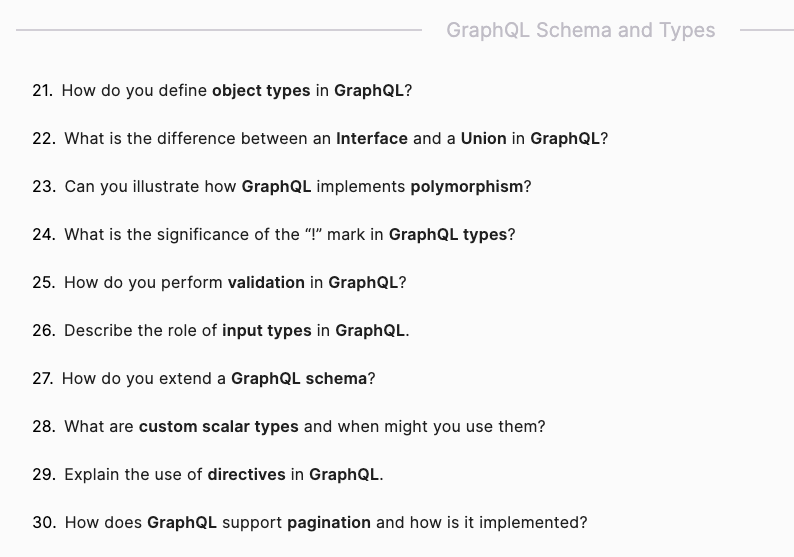
21. How do you define object types in GraphQL?
Object Types:
Object types in GraphQL are defined using the type keyword. They represent a collection of fields.
Example Definition:
type User {
id: ID!
name: String!
email: String!
}
Example Usage in a Schema:
type Query {
user(id: ID!): User
}
Example Resolver:
const resolvers = {
Query: {
user: (_, { id }) => {
return users.find(user => user.id === id);
},
},
};
22. What is the difference between an Interface and a Union in GraphQL?
Interface:
An interface is an abstract type that defines a set of fields that multiple types must include.
Example Interface:
interface Character {
id: ID!
name: String!
}
type Hero implements Character {
id: ID!
name: String!
superPower: String!
}
type Villain implements Character {
id: ID!
name: String!
evilPlan: String!
}
Union:
A union type represents a type that could be one of several types. Unlike interfaces, union types don’t require common fields.
Example Union:
union SearchResult = Hero | Villain
type Query {
search(term: String!): SearchResult
}
23. Can you illustrate how GraphQL implements polymorphism?
Polymorphism in GraphQL:
GraphQL implements polymorphism using interfaces and union types. This allows you to query fields that might return different types.
Example Using Interface:
query {
characters {
id
name
... on Hero {
superPower
}
... on Villain {
evilPlan
}
}
}
24. What is the significance of the “!” mark in GraphQL types?
Non-Null Types:
The “!” mark signifies that a field is non-nullable, meaning it must always have a value and cannot be null.
Example Definition:
type User {
id: ID!
name: String!
email: String!
}
25. How do you perform validation in GraphQL?
Validation:
Validation in GraphQL can be performed by defining constraints in the schema and by using custom resolvers.
Example with Schema Constraints:
type Query {
user(id: ID!): User
}
Example with Custom Resolvers:
const resolvers = {
Query: {
user: (_, { id }) => {
if (!isValidId(id)) {
throw new Error('Invalid ID format');
}
return users.find(user => user.id === id);
},
},
};
function isValidId(id) {
return /^[0-9a-fA-F]{24}$/.test(id);
}
26. Describe the role of input types in GraphQL.
Input Types:
Input types are used to define complex inputs for queries and mutations. They are similar to object types but are used for inputs.
Example Input Type:
input UserInput {
name: String!
email: String!
}
type Mutation {
createUser(input: UserInput!): User
}
Example Resolver:
const resolvers = {
Mutation: {
createUser: (_, { input }) => {
const newUser = { id: generateId(), ...input };
users.push(newUser);
return newUser;
},
},
};
27. How do you extend a GraphQL schema?
Extending a Schema:
A GraphQL schema can be extended using the extend keyword. This allows you to add fields to existing types or add new types.
Example Extension:
extend type User {
age: Int
}
extend type Query {
allUsers: [User]
}
28. What are custom scalar types and when might you use them?
Custom Scalar Types:
Custom scalar types allow you to define custom data types beyond the built-in ones. They are useful for specific formats like dates, URLs, or custom ID formats.
Example Custom Scalar:
scalar Date
type User {
id: ID!
name: String!
birthdate: Date!
}
Example Implementation:
const { GraphQLScalarType } = require('graphql');
const dateScalar = new GraphQLScalarType({
name: 'Date',
description: 'Custom date scalar type',
serialize(value) {
return value.toISOString(); // Convert outgoing Date to ISOString for JSON
},
parseValue(value) {
return new Date(value); // Convert incoming ISOString to Date
},
parseLiteral(ast) {
if (ast.kind === Kind.STRING) {
return new Date(ast.value); // Convert hard-coded AST string to Date
}
return null; // Invalid hard-coded value (not an ISOString)
},
});
const resolvers = {
Date: dateScalar,
};
29. Explain the use of directives in GraphQL.
Directives:
Directives are used to modify the execution of queries and schemas. The most common directives are @include, @skip, and @deprecated.
Example Usage of Directives:
query getUser($withEmail: Boolean!) {
user(id: "1") {
name
email @include(if: $withEmail)
}
}
30. How does GraphQL support pagination and how is it implemented?
Pagination:
GraphQL supports pagination using arguments like limit and offset or by using cursor-based pagination.
Example Pagination with Limit and Offset:
type Query {
users(limit: Int, offset: Int): [User]
}
Example Resolver for Pagination:
const resolvers = {
Query: {
users: (_, { limit, offset }) => {
return users.slice(offset, offset + limit);
},
},
};
Example Pagination with Cursors:
type PageInfo {
endCursor: String
hasNextPage: Boolean
}
type UserEdge {
node: User
cursor: String
}
type UserConnection {
edges: [UserEdge]
pageInfo: PageInfo
}
type Query {
users(first: Int, after: String): UserConnection
}
Example Resolver for Cursor-Based Pagination:
const resolvers = {
Query: {
users: (_, { first, after }) => {
const startIndex = after ? users.findIndex(user => user.id === after) + 1 : 0;
const slicedUsers = users.slice(startIndex, startIndex + first);
const edges = slicedUsers.map(user => ({
node: user,
cursor: user.id,
}));
return {
edges,
pageInfo: {
endCursor: edges.length > 0 ? edges[edges.length - 1].cursor : null,
hasNextPage: startIndex + first < users.length,
},
};
},
},
};
These explanations and code examples should provide a comprehensive understanding of the advanced aspects of GraphQL schema and types.






-
Tagged flutter, mobile-dev, react-native